

Meta Muse Image: New AI Image Generator Designed to Transform Digital Creativity
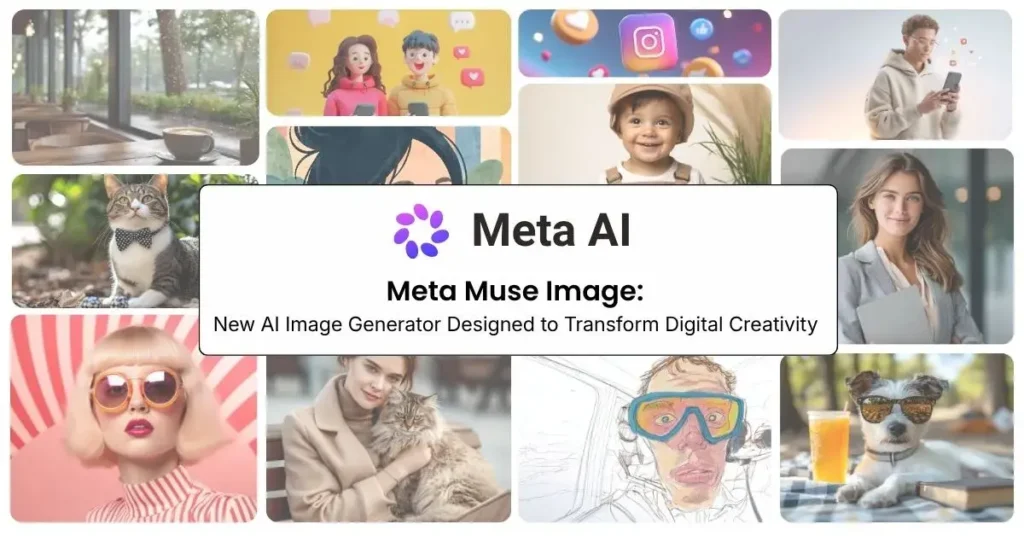
Artificial intelligence is transforming digital creativity at an unprecedented pace. AI is becoming an essential creative partner for artists, marketers, businesses and everyday users, from generating realistic images to producing cinematic videos. Meta has undeniably raised the bar with the introduction of Meta Muse Image and an early preview of Muse Video. These latest generative AI models are poised to transform content creation, making it more intelligent, interactive and accessible than ever before.
Meta’s Muse models represent a significant shift towards AI systems that can understand context, refine their own work, and assist users throughout the creative process. The announcement is clear: Meta is building AI tools that are both powerful and practical for real-world use.
Key Takeaway:
- Meta Muse Image is Meta’s new AI image generator that creates and edits images using simple natural language prompts.
- Agentic AI capabilities allow Muse to reason through creative tasks, refine outputs, and handle complex image editing beyond basic prompt-to-image generation.
- Deep integration with Meta platforms like Instagram, WhatsApp, and Meta AI makes creating and sharing AI-generated content faster and more seamless.
- Muse competes with leading AI tools such as ChatGPT Images, Midjourney, and Google’s Nano Banana by combining image generation, editing, and social media integration.
- While Muse unlocks new creative possibilities, it also raises important discussions around copyright, privacy, AI safety, and responsible use of generative AI.
Table of Contents
What Is Meta Muse Image?
Meta Muse Image is an artificial intelligence-based image generation model developed by Meta to create and modify images through natural language instructions.
Instead of manually designing graphics or editing photos using complex software, users can describe their ideas, and the AI system can generate visuals based on those instructions.
For example, users can request:
- A futuristic city illustration
- A product advertisement concept
- A creative social media background
- A new artistic style for an existing photo
The AI understands the prompt and creates a visual output based on the user’s description.
Beyond Image Generation: An AI That Thinks Through Creative Tasks
One of the most notable aspects of Muse Image is Meta’s emphasis on “agentic AI.” Instead of producing an image in a single step, the system can use additional tools and reasoning processes to improve the final output.
For example, Muse Image can:
- Use search capabilities to incorporate relevant real-world information.
- Generate structured visual elements such as diagrams or charts using coding tools.
- Review and refine its own outputs before presenting them to users.
- Follow complex creative instructions across multiple editing steps.
This represents a significant evolution from traditional AI image generators. Rather than functioning as a simple prompt-response system, Muse Image behaves more like a creative assistant that collaborates with users throughout the design process.
Is Meta Muse Image free?
Meta Muse Image is available through Meta AI for free everyday creation. Additional usage limits or expanded capabilities may depend on Meta’s subscription offerings and availability in different regions.
Key Features of Muse Image
1. AI-Powered Image Creation
Muse Image allows users to transform simple text descriptions into detailed visual content using generative AI. By understanding prompts, styles, subjects, and creative preferences, the model can you can generate text to images that match the user’s ideas.
Users can create a wide range of visuals, including marketing concepts, social media graphics, artistic illustrations, product ideas, and customized designs without needing advanced graphic design skills or professional software.
Users looking to experiment with AI-generated visuals can also use text-to-image tools such as FreePixel AI Image Generator to create images from natural language prompts for creative, marketing, and personal projects.
2. Multi-Reference Image Generation
Muse Image can create new visuals by combining multiple reference images with text prompts. Instead of relying on a single input, users can blend different subjects, styles, or objects into one composition. This feature is useful for creating personalized designs, product mockups, marketing assets, and concept art while maintaining consistency across elements.
3. Advanced Editing Capabilities
Muse Image is designed not only as an image generator but also as an AI-powered editing tool. Users can modify existing images, combine multiple visuals, and guide changes using natural language instructions or sketches.
In addition to text to image generator, users can modify existing images, combine multiple visuals, and guide changes using natural language instructions or sketches. These capabilities enable creators to explore different styles, improve concepts, redesign visual elements, and quickly experiment with new ideas before finalizing their work.
After generating an image, users may also need to refine it for different use cases. Tools such as Background Remover can help remove backgrounds quickly, making images suitable for product listings, presentations, social media posts, and other digital content.
4. Integration Across Instagram, WhatsApp, and Meta Platforms
A key advantage of Muse Image is its integration with Meta’s ecosystem. The technology is designed to bring AI-powered creativity closer to everyday users by connecting image generation with platforms where people already communicate and share content.
Users can create and edit AI-generated content through Meta AI experiences across platforms such as Instagram and WhatsApp. This makes it easier for creators, businesses, and everyday users to generate content, enhance images, and share creative ideas without switching between multiple applications.
Through this approach, Meta aims to make AI creativity a more natural part of digital communication and social media experiences.
How Does Meta Muse Image Work?
Meta Muse Image uses generative AI technology that has been trained to understand visual patterns, objects, styles, and creative concepts.
The process works through three main steps:
1. User Provides a Prompt
Users enter a description of the image they want to create. The prompt can include details about:
- Subject
- Style
- Colors
- Environment
- Mood
- Design preferences
Example: “Create a minimalist travel poster featuring mountains and a sunset.”
2. AI Processes the Request
The AI model analyzes the text prompt and converts the description into visual elements. It understands relationships between objects, styles, and compositions.
3. Image Generation
The system creates a new image based on the instructions, allowing users to refine or modify the result further.
Introducing Muse Video
Alongside Muse Image, Meta has also shared an early preview of Muse Video, a next-generation video generation model.
Meta has previewed Muse Video, a video generation model focused on improving prompt adherence, visual quality, temporal consistency, and audio-video generation. The goal is to improve areas where current AI video models often struggle, including maintaining realistic movement, matching audio with visuals, and following detailed prompts over longer sequences.
Although Muse Video is still in development, it signals Meta’s ambition to compete in the rapidly growing AI video generation space.
Why Muse Matters for Creators
The arrival of Muse Image could significantly impact creators, designers, marketers, and everyday users.
Potential applications include:
- Creating social media crossposting content faster
- Designing marketing visuals
- Generating product concepts
- Editing personal photos creatively
- Building interactive digital experiences
- Turning simple ideas into professional-looking artwork
For businesses, AI tools like Muse could reduce the time and cost involved in producing visual content.
How Meta Muse Compares With Other AI Image Generators
| Feature | Meta Muse | ChatGPT Images | Midjourney |
| Text-to-image generation | ✅ | ✅ | ✅ |
| Image editing | ✅ | ✅ | Limited |
| Natural language prompts | ✅ | ✅ | ✅ |
| Social media integration | ✅ | Limited | No |
| Integration with a large consumer ecosystem | ✅ | Limited | No |
| Beginner-friendly experience | ✅ | ✅ | Requires learning |
| Creative experimentation | ✅ | ✅ | ✅ |
While Midjourney is popular for artistic image generation and ChatGPT Images focuses on conversational creation and editing, Meta Muse’s biggest potential advantage is integration with Meta’s social ecosystem.
Opportunities for Creators and Businesses
AI image generation has become increasingly valuable for digital creators, advertisers, and brands. Muse could help users:
- Create social media graphics faster
- Generate advertising concepts
- Design product visuals
- Develop creative ideas before production
- Experiment with new artistic styles
For small businesses and independent creators, tools like Muse may reduce the time and cost required for producing professional-looking visuals.
The Growing Competition in AI Image Generation
Major technology companies are competing closely in the AI image generation space. It is clear that OpenAI and Alphabet gained an early advantage by launching similar AI image-generation models. Google’s Nano Banana also attracted strong consumer interest after its release, showing the growing demand for easy-to-use AI creative tools.
Meta has also released internal benchmark results comparing Muse Image with competing AI image models, including OpenAI’s GPT Image 2.0 and Google’s Nano Banana 2 lite. According to Meta’s tests, Muse Image showed competitive performance in image-editing tasks, including editing both single and multiple images. These comparisons highlight the increasing competition among AI companies to build more capable and user-friendly image-generation systems.
Challenges and Concerns With AI Image Tools
While AI image generators offer many advantages, they also create important discussions around technology and responsible use.
Copyright and Ownership: AI-generated images raise questions about:
- Who owns AI-created content?
- How training data is collected
- How creators’ work is protected
Misuse of AI Images: Advanced image generation can also be used to create misleading or fake visuals, making responsible AI development important.
Privacy: When users upload personal photos for AI editing, protecting user data and maintaining transparency becomes essential.
The Future of AI-Powered Creativity
Muse Image and Muse Video represent Meta’s broader vision of AI systems that are not just generation tools but creative partners. By combining image creation, reasoning, search, editing, and multimodal capabilities, Meta is moving toward a future where anyone can transform ideas into rich digital experiences.
As AI-generated images and videos become more realistic and accessible, tools like Muse could reshape how people communicate, design, and create content online.
Conclusion
Meta Muse Image marks a significant expansion of the company’s generative AI ambitions. With text-based creation, image editing, and social platform integration, the tool aims to make advanced visual creativity available to more people.
As AI image generators continue to evolve, the competition will not only be about creating better images but also about building systems that users can trust.
Meta Muse Image is another step toward a future where creativity is powered by both human imagination and artificial intelligence.
FAQs:
1. What is Meta Muse?
A: Meta Muse is an AI image generator by Meta that creates and edits images using simple text prompts.
2. Is Meta Muse free?
A: Meta has not fully announced pricing details. Availability may depend on features and rollout plans.
3. How is Muse different from other AI image tools?
A: Muse focuses on combining AI image creation with Meta’s ecosystem, making it easier to create and share content across its platforms.
4. Can Muse edit existing images?
A: Yes, Muse is designed to help users modify images, change styles, and create new versions using AI prompts.
5. Who can use Meta Muse?
A: Creators, businesses, marketers, designers, and everyday users can use AI image generation for creative projects.
6. Is it safe to use Meta AI?
A: Meta AI includes safety features, but users should avoid sharing sensitive information and review privacy settings before uploading personal data or photos.
Like other AI tools, it may produce inaccurate results, so users should verify information and use it responsibly.